Tune & listen
Explore live spectrum and waterfall activity with AM, narrow FM, wide FM, USB, LSB, and CW modes. Adjust bandwidth, gain, squelch, and frequency correction.
Radio tools for Android
Tune the spectrum. Map signal coverage. Track aircraft. Turn your Android device and a compatible RTL-SDR into a portable radio toolkit.
USB OTG or a compatible network source required for live RF reception.
 Tune. Survey. Map the spectrum.
01 / Explore the signal
Receiver controls, recording, and mapping in one Android app.
Explore live spectrum and waterfall activity with AM, narrow FM, wide FM, USB, LSB, and CW modes. Adjust bandwidth, gain, squelch, and frequency correction.
Capture WAV audio and raw IQ with SigMF metadata. Keep recordings and presets together, and replay saved audio or compatible IQ captures.
Record GPS-linked measurements and view them on a heatmap. Compare average power, peak power, noise floor, and estimated SNR.
Receive 1090 MHz ADS-B directly from an RTL-SDR or connect to a dump1090/readsb feed. Explore tracks, range rings, altitude colors, and aircraft details.
Save survey sessions and export measurements as CSV or GeoJSON for analysis outside the app.
Connect through USB OTG or rtl_tcp. Use saved presets, tuner-gain diagnostics, and light, dark, or system themes.
02 / In the app
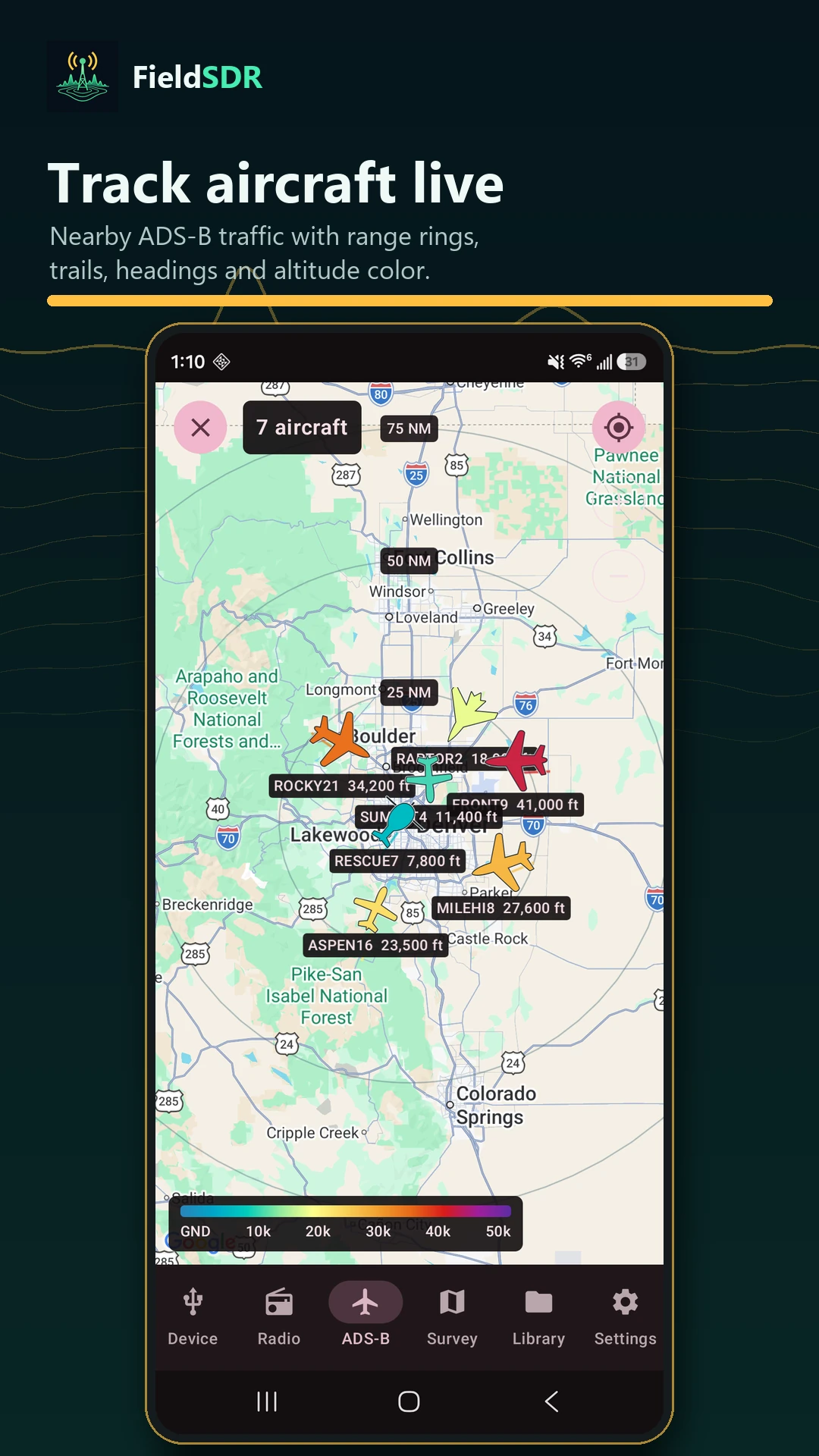
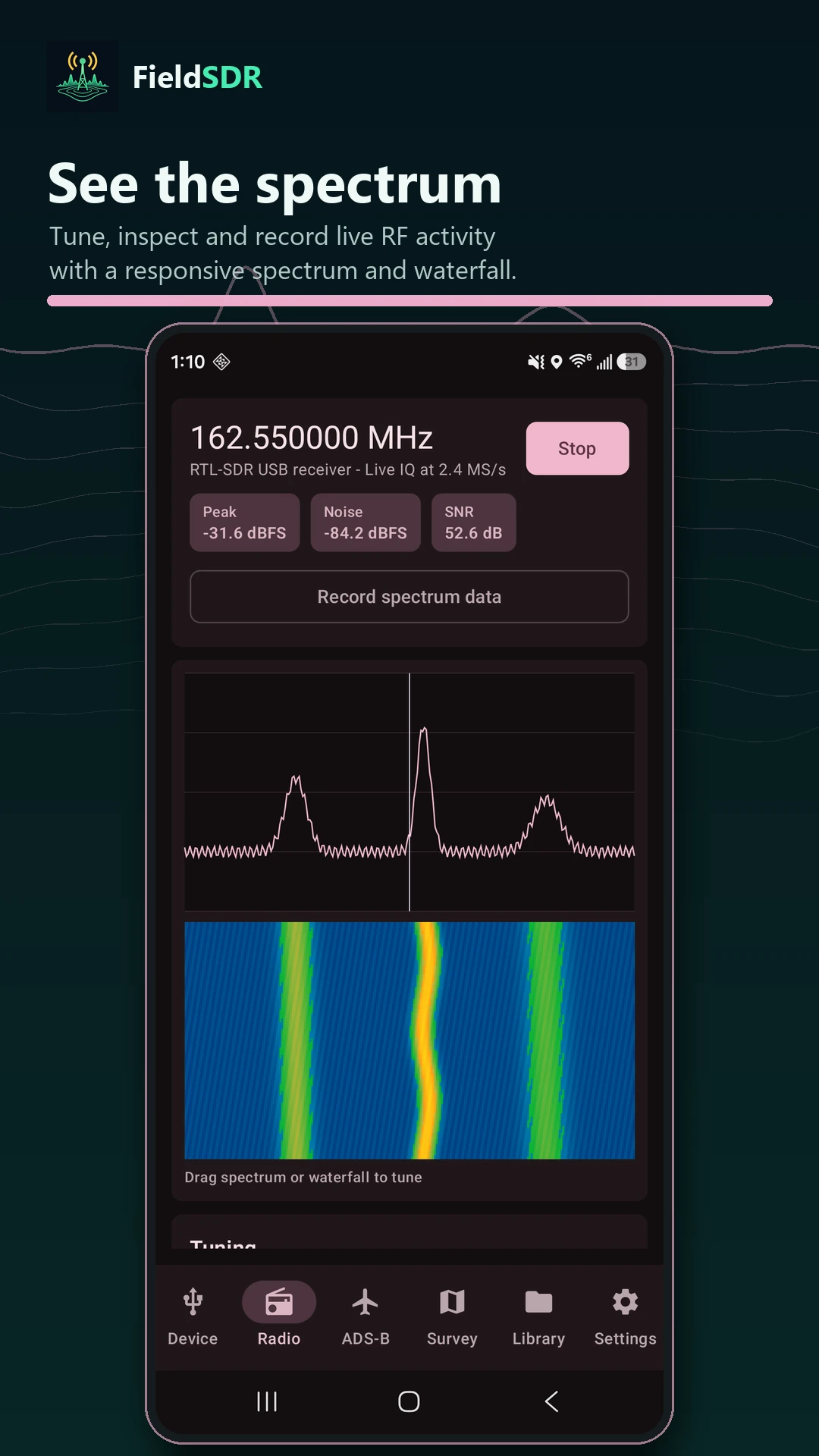
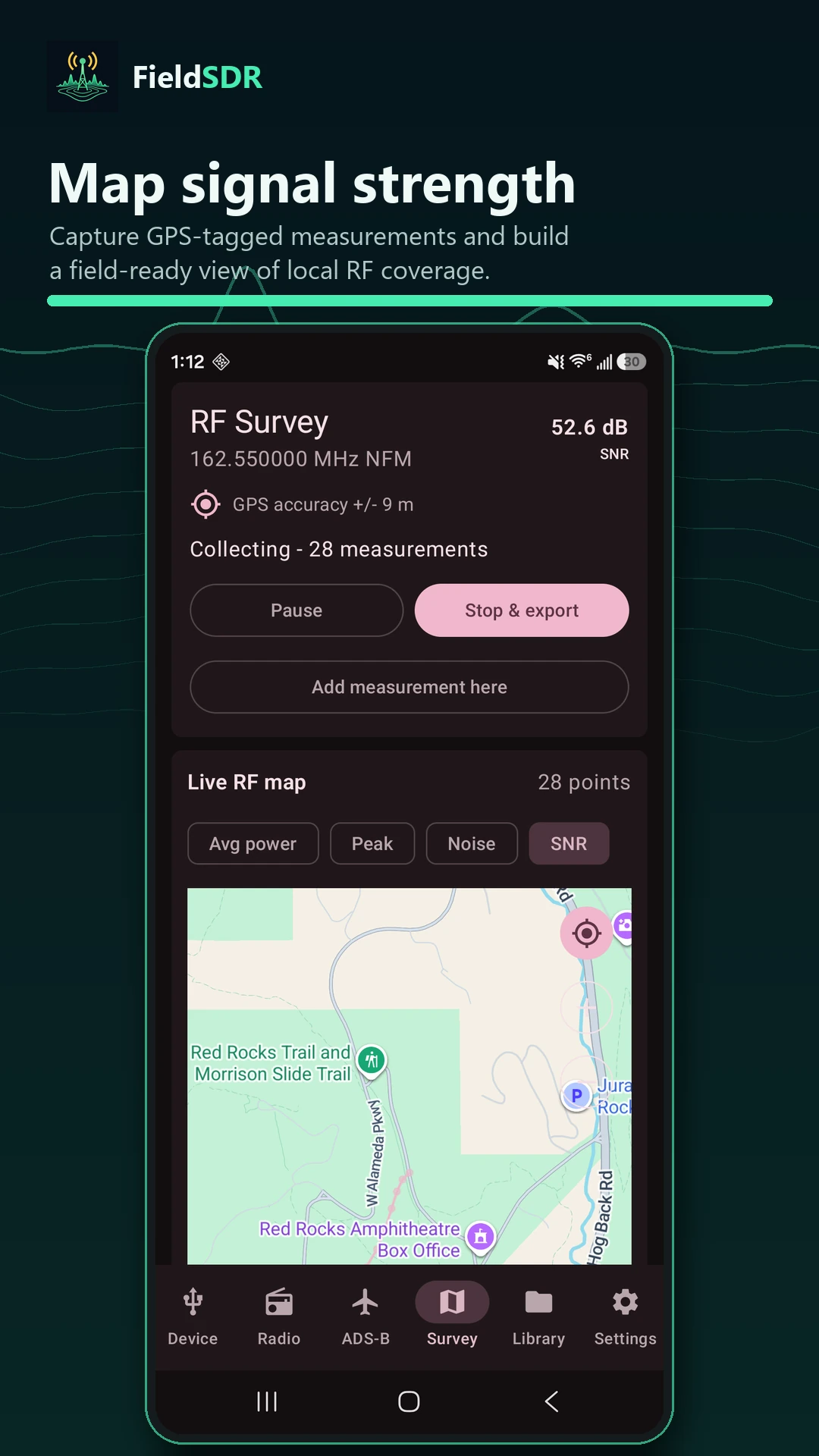
Promotional screenshots use demonstration data.
03 / Get started
You can also view a compatible dump1090/readsb network feed without connecting a USB receiver. Recordings and survey files stay in your selected device folders.
Questions, feedback, or an idea for FieldSDR? Get in touch.
With thanks
FieldSDR uses RTL device code adapted from GNU Radio 4 and Mode S demodulation adapted from dump1090. Aircraft information and photos come from HexDB, Planespotters.net, and Airport-Data.com.
Maps include Google Maps and OpenStreetMap through osmdroid, with aircraft artwork from RexKramer1 and contributors. Photo credits and bundled license notices are available in the app.